Mechanics
The production queue
Every city has its own queue. You put units or buildings in it; production accumulates each turn and the item leaves the queue when it completes.
How production reaches a city
Production collects in a global pool. At the start of each turn, cities draw from the pool in identity order (deterministically).
The draw cap: a city draws at most as much as it produces per turn. The cap belongs to the turn, not to the item, and is computed from the city as it stands at the start of the turn: if the head item's remaining cost is below the cap, the city finishes it and carries the spare cap on to the next item. A queue of cheap items lined up back to back can therefore complete several items in the same turn. If the pool runs out, the cities later in the order get nothing that turn.
The draw stops for the turn in four cases:
- The item is not finished — the cap or the pool ran out.
- The item is waiting for a strategic resource (see "The strategic resource prerequisite" below).
- There is no free neighbouring tile for the finished unit to appear on.
- The queue is empty and the empty-queue default is off (see below).
Estimated finish. In the city panel every queued item, and every option you are about to add, carries "about N turns". This is an estimate, defined as: if this turn's share stays the same, ceil(remaining production / share). A queue row also counts the remainder of the items ahead of it (items finish in order). The share comes from the same function as the panel's draw forecast; there is no separate calculation. A rival move, a revolt or a blocked exit tile can change the share, and a research contribution such as a Madrasa enters the estimate only as far as today's draw — so the number always carries the "about" label. If the share is zero (a city in revolt, an empty pool) or the head item is waiting for a strategic resource, nothing advances and the panel prints no number. While the queue is empty, the estimate for an option you are about to add uses the city's per-turn draw cap, even if the pool is short.
The empty-queue default
A city whose queue runs out does not sit idle by default: it puts its draw into Wisdom research. This item is not written into the queue; it steps in implicitly the moment the real queue runs out. Since it counts as research, it also receives the Madrasa contribution. If it finishes, your Wisdom counter rises and, as far as the cap and the pool allow, the city moves on to the next Wisdom in the same turn.
Unfinished Wisdom progress is kept separately from the queue's store. If you later add an item to the queue, that item starts from zero; the Wisdom progress (Medrese contribution included) waits where it is and resumes when the queue empties again. While the setting is on, the draw left under the cap after the last queued item finishes also goes into this progress, so finishing a cheap item burns nothing. The progress resets when the city changes hands. When it is above zero, the city panel shows it even while the queue is full.
The setting is empire-wide and starts the match on. While it is on, a city with an empty queue does not count as unfinished business in the "End turn" box, because its production is not lost; while it is off, it does (The turn cycle). Turning it off (or back on) with the button in the city panel applies to all of your cities. While it is off, a city with an empty queue draws nothing: the production stays in the pool and the rest of the Medrese contribution is lost for that turn. The city panel shows where the production of an empty queue goes, along with the draw forecast.
A building finished mid-turn does not change that turn's cap (a Workshop counts from next turn); the items behind it, however, benefit from it the same turn — a unit born after a Barracks finished that turn is born with the experience it grants. The research contribution of a Madrasa is applied once per turn: it flows into the consecutive research items from the head of the queue, the rest of it is lost for the turn as soon as a non-research item comes up, and it never speeds up a building or a unit. The draw line in the city panel forecasts the draw expected at the start of next turn and how many items will finish, using the engine's own function; rival moves in between (a revolt, a blocked exit tile) can change the outcome.
A city in revolt draws nothing at all (Victory conditions): you may queue items, even fund them with gold, but nothing completes until the revolt is over.
Reordering the queue
You can change the priority of queued items and cancel one. In both cases the accumulated production stays with the city: the store belongs to the city, not to the item.
This cannot be exploited, because the store never exceeds the cost of the item at the head of the queue — saving up for an expensive item and then promoting a cheap one does not refund the excess, it burns it.
Cancelling a building gives its slot back in the city's building budget.
The building budget
A city holds at most 3 buildings. A city whose population reaches 3 raises that limit to 4 — the same threshold that grows its region (Cities and population). Once the limit is full, no new building can enter the queue; buildings waiting in the queue hold a slot too.
If the population later drops below the threshold, no building is demolished: the city keeps it, and only new buildings are refused until the population climbs back to the threshold. A city builds each building once; a copy waiting in the queue counts too.
A second limit belongs to the Monument alone: you may build one per empire. If one of your cities already has it — or merely has one waiting in its queue — a second cannot enter any city's queue.
The limit is a building limit: a Monument that arrives by conquest is not demolished and its score is not swallowed. Raise your own and then take a rival's Monument city and you hold two, and both score (Territory and score); the only thing closed is the right to build a third. It cuts the other way too: conquering a Monument city blocks you from building one even if you never raised your own.
| Name | Cost | Effects |
|---|---|---|
| Farm | 5 |
|
| Workshop | 5 |
|
| Market | 5 |
|
| Walls | 8 |
|
| Monument | 15 |
|
| Madrasa | 6 |
|
| Guild | 6 |
|
| Caravanserai | 7 |
|
| Almshouse | 10 |
|
| Bedesten | 9 |
|
| Divan | 14 |
|
| Hospital | 7 |
|
| Barracks | 6 |
|
| Mill | 6 |
|
| Watchtower | 6 |
|
| Foundry | 7 |
|
| Land Registry | 9 |
|


The strategic resource prerequisite
Some units can only be built if you own a piece of the map:
| Unit | Resource required |
|---|---|
| Raider | Horse pasture |
| Siege | Iron deposit |
Three rules apply at once:
- The prerequisite is empire-wide. If any of your cities has the resource in its region, you may build the unit in every city. There is no "which city can raise an army" bookkeeping.
- The rejection happens when the item enters the queue. Without the resource the button is disabled and the engine rejects the command with an explicit reason — an item never slips into the queue to stall silently.
- Losing the resource while the item waits does not delete it. The item waits: production does not flow into it, the stored production stays put, and the panel states the reason. The turn you take the land back, the item continues from where it stopped.
A waiting item blocks the queue: production only flows into the head of the queue (see above), so the items behind it stop too. You can reorder the queue to push the waiting item back — stored production stays with the city, so reordering costs you nothing.
Units without a prerequisite are exempt, and deliberately so: the Spearman is the unit that holds a front, and gating it on a tile would leave a player defenceless on an unlucky seed.
What to build
| Name | Cost | Upkeep | Move | Attack | Defense | HP | Vision | Attack vs. city | Requires |
|---|---|---|---|---|---|---|---|---|---|
| Pioneer | 3 | 1 | 6 | 1 | 1 | 8 | 5 | 1 | — |
| Spearman | 4 | 1 | 4 | 2 | 3 | 12 | 4 | 2 | — |
| Raider | 6 | 1 | 6 | 4 | 1 | 10 | 4 | 2 | Horse pasture |
| Siege | 8 | 1 | 4 | 2 | 1 | 8 | 4 | 6 | Iron deposit |
| Scout | 2 | 1 | 8 | 0 | 1 | 5 | 7 | 0 | — |
| Standard-bearer | 5 | 1 | 4 | 1 | 2 | 10 | 4 | 1 | — |
| Physician | 5 | 1 | 4 | 0 | 1 | 6 | 4 | 0 | — |
| Janissary | 10 | 1 | 4 | 2 | 4 | 14 | 4 | 1 | Iron deposit |
| Archer | 5 | 1 | 4 | 3 | 1 | 8 | 4 | 1 | — |
| Sipahi | 9 | 1 | 5 | 5 | 2 | 14 | 4 | 2 | Horse pasture |
| Artillery | 12 | 1 | 3 | 1 | 1 | 8 | 4 | 9 | Iron deposit |
| Forlorn Hope | 9 | 1 | 4 | 6 | 1 | 10 | 4 | 2 | — |



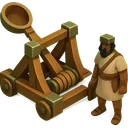

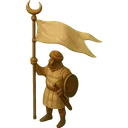



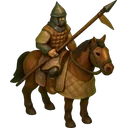
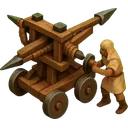

In the city panel every unit option also shows its attack and defence, so you can compare two units without leaving the panel. The numbers are the unit catalogue itself.
Roughly: Pioneer in the early turns, Spearman when a border tightens, Raider to clear the field, Siege to take a city. The last two depend on the map: take the resource first, then the unit.
The numbers on this page are read from the game’s balance tables.