Mechanics
Map and terrain
The board is 20×24 = 480 hexes. Adjacency and movement are six-directional.
A hex has no corners: every neighbour shares an edge. That removes the square grid's "slip past the corner" and diagonal-ambiguity problems — holding a front line and encircling a city both become readable.
Distance is counted in hex steps. A tile has 6 neighbours within one step, 18 within two and 36 within three — each step widens the ring by another six tiles.
Getting around the board
The board does not fit on one screen: the screen is a window and the board slides underneath it. Drag to pan; zoom with the wheel, a pinch, or the zoom buttons (the keys are in the shortcut table below).
The two corner buttons are opposites: fit board shows the whole board and leaves a margin along the short edge, while fill board zooms in until the window is covered edge to edge — the board's long side then overflows and is reached by panning. Filling keeps what you were looking at: the hex in the middle of the window stays in the middle.
Picking a city from the city list centres the window on it, and keyboard navigation always brings the focused hex into view.
Route preview
While a unit is selected, bringing the pointer (or the keyboard focus) onto a hex it can reach draws the path the unit will walk on the board: the in-between hexes get a small dot and the destination a larger mark. The drawn path is not a separate estimate — it is the very path the engine will walk. The route line states the step count, the path's total entry cost and the unit's remaining movement together ("Route: N steps, X of Y movement"); X is the number the move really takes off the unit's remaining movement. On the web the line shows as a label at the bottom centre of the board; on mobile it is written in the route line at the bottom of the screen. Screen readers are given the same line.
On a touch screen it takes two taps: the first tap shows the route and a confirmation line, a second tap on the same hex moves the unit. Tapping a different hex moves the route to that hex, so a stray tap never makes a move.
When the context panel describes a hex it states the cost of entering it on passable terrain and, on terrain that changes defense, the defense multiplier (no line appears where the multiplier has no effect); the attack and defense values of the unit on the hex are shown too. These are the same data as the table below and the combat formula.
Controls and shortcuts
The common actions have a single key. The list below comes from the same table as the window opened by the game's ? button:
| Key | What it does |
|---|---|
| N | Select the next unit with moves left |
| Shift+N | Select the previous unit with moves left |
| Shift+Enter | End the turn |
| C | Center on the selected unit or city |
| L | Change the map layer |
| M | Show / hide the mini map |
| X | Send the selected unit exploring / stop exploring |
| ? | Open this list |
| + | Zoom in |
| - | Zoom out |
| 0 | Fit the board |
| ← ↑ → ↓ | Pan the board |
| Esc | Skip the rival turn, close the open window, or clear the selection |
Single-letter shortcuts only work on the game screen: they are off while a window is open, while you type in a field, or while a rival turn is being played back. Esc first skips the rival-turn playback, then closes an open window; with neither, it clears the selected unit. Devices without a keyboard (phones, tablets) have no shortcuts; the same actions are on-screen buttons.
Mini map
Because the board does not fit one screen, a small mini map can be shown in a corner. It draws only the area you know: dark tiles stay empty and it shows nothing you have not seen. Cities are large marks and units small ones; yours are squares and everyone else's are circles — colour is never the only cue. The frame inside it is the area currently on screen in the main board.
Click or drag on the mini map to take the main board there. On the web it starts open on a wide screen; on a narrow screen and on a phone it starts closed. The button (on the web also M) toggles it. On mobile, while a move's route is being previewed, the mini map is hidden so it does not overlap the preview; it returns once the move is made or the route is dropped. For a screen reader it is described as a single image that states how many cities and units it marks; to look closer, move around the main board with the keyboard.
Map layers
Three layers overlay optional information on the board. All three are off at the start, switch independently, and last for the session only: nothing is written to the save.
- Yield — on a tile with a resource node, writes how much of which resource the node gives. On a tile inside the territory of one of your own cities the yield added by buildings counts too; on a tile in someone else's territory or in no territory only the node's own yield shows — a rival's buildings do not leak through this layer. The number is the term the node adds to income; the per-city population multiplier on production is applied separately and is not shown in the layer.
- Ownership — shows who owns the territory of the tiles you know: your territory and someone else's carry different marks.
- Threat — marks the tiles within attack reach of the enemy units you can currently see and writes how many units could strike each tile. The reach of a unit you cannot see is not computed; units of a player you hold a truce with and units that cannot fight (routed) are not counted.
No layer relies on colour alone: every mark carries text or a shape, and a screen reader reads the same information in the tile's label. Each press of L keeps a single layer on and steps to the next, and turns them all off after the last.
Once you zoom in far enough, city names are written over the board; the capital is marked "(capital)" next to its name.
Automatic exploration
For a selected unit of yours, the Explore button (or X) sends it exploring. Each turn the unit walks a path that approaches the unknown from the area you know, so you do not have to give the same unit an order every turn. A unit that is exploring is not counted as "a unit with moves left" by the end-of-turn warning.
Exploration stops by itself in these cases and a notice says why:
- the unit took damage,
- a rival unit you had not seen before came into view — a unit of a side you have a truce with does not count, so exploration carries on when it appears (if it is still in view when the truce ends, it is a new enemy and exploration stops),
- there is no reachable place left that gets it closer to the unknown,
- the unit was lost.
Giving the unit an order by hand, pressing the button again, or undoing the move of the exploring unit also ends the exploration. The limits are deliberate:
- Exploration is a local search: it goes to the known tile, reachable this turn, that gets closest to the unknown. It does not detour around water or mountains to reach the unknown behind them; in that case it stops with "nothing left to explore".
- The path never crosses a tile you do not know — terrain hidden by the fog does not help the search.
- The path is chosen only from the units you can see: a rival unit behind the fog neither makes a tile count as occupied nor projects a control zone. If the game rejects the planned move because of a hidden unit, exploration is dropped (you get a notice, no other path is tried): the unit stays idle, the reason for the rejection is shown in the context panel, and you can restart exploring if you wish.
- If the unit's move points are short it waits for the next turn; it ends only when it cannot progress even with full move points.
- Exploration is an intent, not part of the game record: the record holds only the walks the unit actually made. So when you load a saved hand, the units stand where they walked but are not exploring; send them again if you want.
Terrain types
| Name | Move cost | Defense multiplier | Cities can be founded |
|---|---|---|---|
| Plains | 1 | ×1 | Yes |
| Forest | 2 | ×1.25 | Yes |
| Mountain | Impassable | ×1 | No |
| Water | Impassable | ×1 | No |

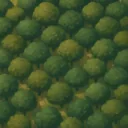
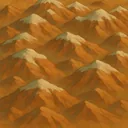

- Move cost is what entering that tile costs, deducted from the unit's move points for the turn.
- The defense multiplier scales the defense power of a unit standing there (see Combat).
- Neighbouring terrain counts too: a unit next to a Mountain tile defends on a foothill (1.25), and the power of an attacker against a unit next to a Water tile is multiplied by 0.85. Neither applies to a city.
- Impassable terrain blocks movement but not vision: vision range is plain distance (a v1 simplification).
Resource nodes
Some tiles carry a resource marker. A node only yields income while it sits inside a city's region — see Territory and score.
| Name | Yield | Unlocks |
|---|---|---|
| Fertile land | +2 Food | — |
| Mine | +2 Production | — |
| Caravan road | +2 Gold | — |
| Horse pasture | +1 Food | Raider, Sipahi |
| Iron deposit | +1 Production | Siege, Janissary, Artillery |


Strategic resources
Some rows in that table differ from the others: a Horse pasture and an Iron deposit are also a production prerequisite. A player with no horse pasture in their territory cannot build the Raider; with no iron deposit, no Siege.
Their yields are deliberately small — their value is the door they open. They are also the rarest node types on the board. The rule itself is spelled out on The production queue.
Map sites
There is one more layer beside resource nodes: Ruins. A node yields every turn once it is inside a region; a ruin pays once when a unit steps on it, and is then spent.
What counts is where the move ends: a ruin merely crossed along the way pays nothing, and advancing after a kill does not claim a ruin either. A ruin is a destination, not a waypoint — steering a unit onto it is a decision.
Fairness
The map is generated procedurally from a seed, but it is not arbitrary: every generated map goes through a fairness audit, and a map that fails it is thrown away and regenerated from another branch of the same seed. The audit looks at more than one thing: the distance between starts, each start's access to nearby nodes and ruins, how far bandit camps and neutral villages sit from the starts and how evenly they are shared, whether the terrain mix stays inside a band, and whether there is a main landmass — every start has to stand on the same landmass, so no player is left across the water (small islands may remain).
One of those rules belongs to strategic resources directly: every start must be able to find both a horse pasture and an iron deposit within a reasonable distance — at least 1 of each. A seed may not leave a player without an army; a map that fails the rule is rejected and generated again. "Reasonable distance" is close enough that the guaranteed node is never nearer to a rival's start than to yours — it sits on your side of the board, not on your doorstep.
Ruins carry a guarantee of their own: every start gets a share of the ruins within reach — at least 1 inside its own field — and the spread between starts cannot exceed a ceiling. A ruin never lands on the capital's doorstep — a reward collected for free on turn one would pay out for the seed, not for scouting.
Where you sit on the board has nothing to do with which player you are. The generator picks the starting positions as far apart from one another as it can, but which position goes to whom is shuffled from the seed. So there is no pattern like "player one always starts in the middle" or "the last player is always on the edge": the same seed produces the same board and the same assignment, but the assignment itself does not follow the seat number.
The numbers on this page are read from the game’s balance tables.